
Platform overview

How the Ailytics platform works

The Ailytics platform brings camera alerts, configured rules and zones, reports and search into a review workflow. Explore the walkthrough in a 30-minute demo.

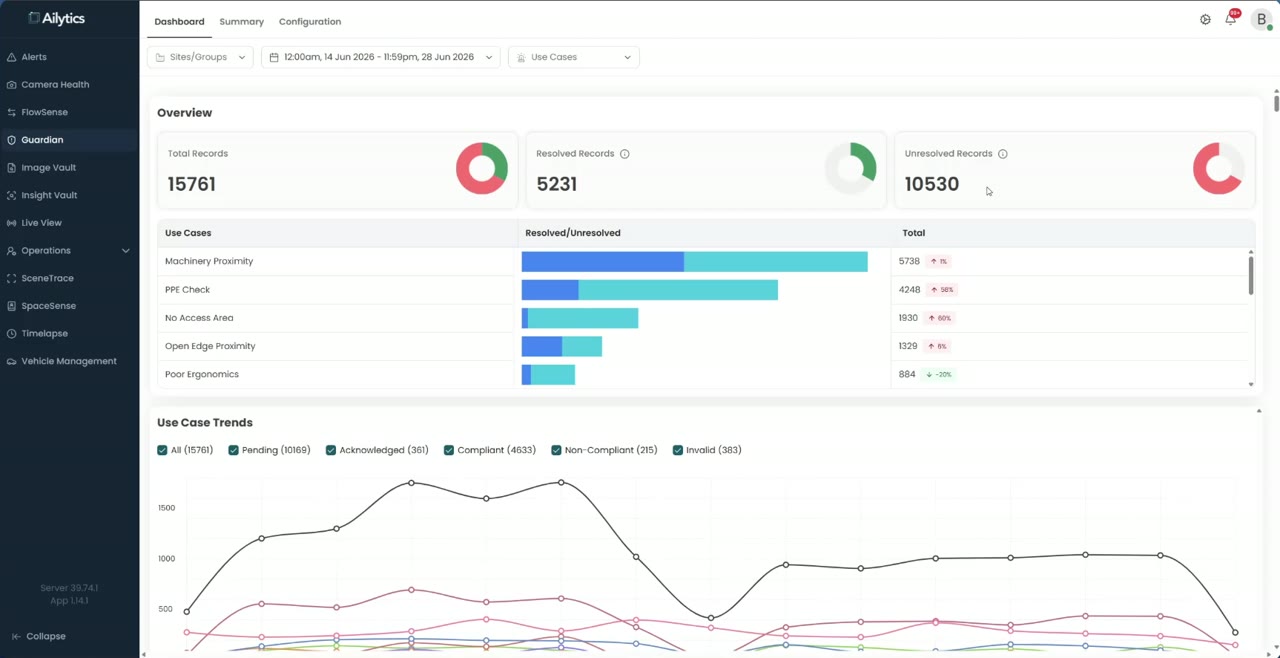
Ailytics platform dashboard: total, resolved and unresolved records, alerts by use case and a trend chart
Dashboard from the Ailytics platform walkthrough (demo data).

Machinery Proximity

Night-time site camera image with an excavator boxed and a person flagged as near machinery
Alerts

Alerts

The Ailytics platform presents alerts with camera, site and time details. Ailytics says alerts can include an image or a short clip with a few seconds before and after the detected event.

  • Review context: open the image or short clip associated with an alert.
  • Track status: update alert status and assignee.
  • Add follow-up: leave a comment or upload an image as proof of rectification.
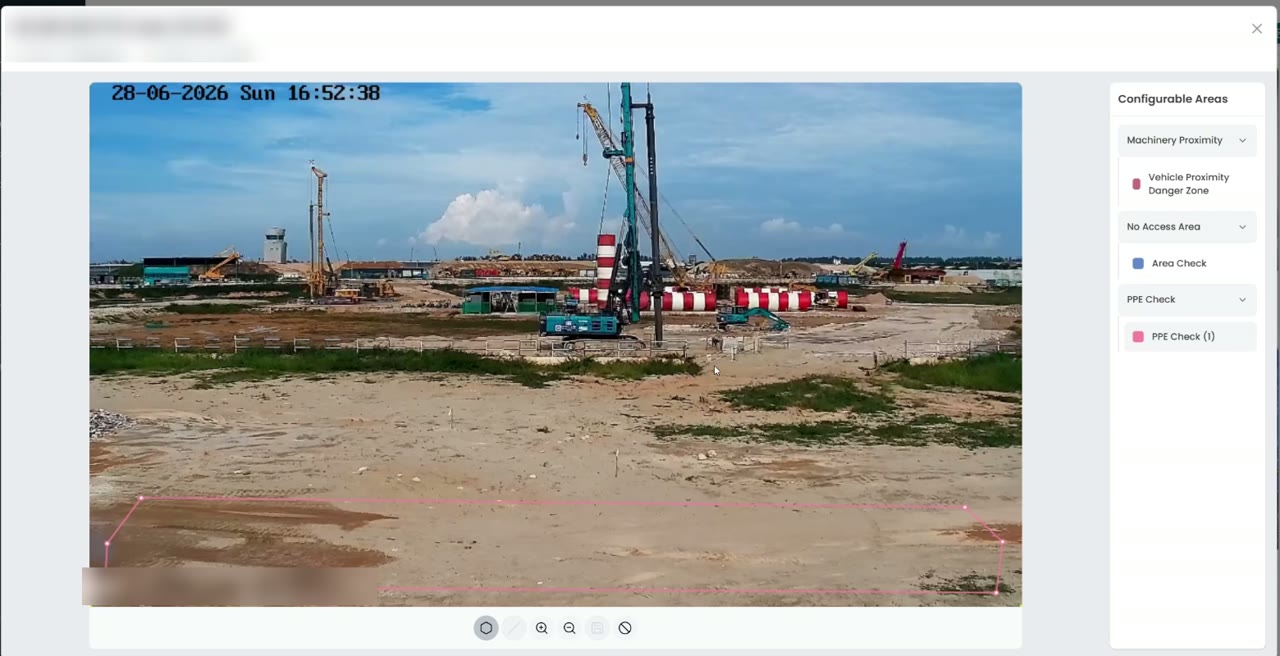
Camera view in the Ailytics platform with a panel of configurable areas: machinery proximity, no access area and PPE check
Camera setup

Camera setup

Ailytics says camera settings can include operating times, clip duration, privacy blur and a secondary camera snapshot when an alert is generated.

  • Set operating times: configure when a camera runs a use case.
  • Privacy blur: configure face or full-body blur.
The Logic Flow builder in the Ailytics platform: rule steps connected on a canvas with a list of rules
Rules and zones

Rules and zones

Ailytics says users can define camera areas for selected use cases and configure scenarios such as proximity to vehicles. The walkthrough also shows a Logic Flow for building rule sequences.

  • Mark a zone: choose where a camera use case should run.
  • Set a scenario: configure a danger radius around a vehicle.
  • Build a rule flow: Ailytics calls this Logic Flow, which sets snapshot intervals and sequences of steps.
The Ailytics platform dashboard with record totals, alerts by use case and trends
Reports

Reports and dashboards

Ailytics says the dashboard gives a quick overview of alerts, with a deeper view available. Ailytics says reports can include an alert’s statuses, audit trail and uploaded images.

  • Quick overview: start from the dashboard.
  • Download reports: Ailytics says reports can be downloaded for an alert.
  • Follow-up: review status changes and uploaded images for the alert.

Screens and clips from the Ailytics platform walkthrough video (demo data; site names blurred).

FAQ

How does Ailytics address worker privacy concerns?

Ailytics is designed with workforce trust in mind. We walk through the privacy settings in the demo so you can discuss your site’s requirements.

Can alerts include video context?

According to Ailytics’ walkthrough, an alert can include a short clip with a few seconds before and after the detected event.

Can camera settings include privacy blur?

Ailytics says the camera configuration can include face or full-body blur.

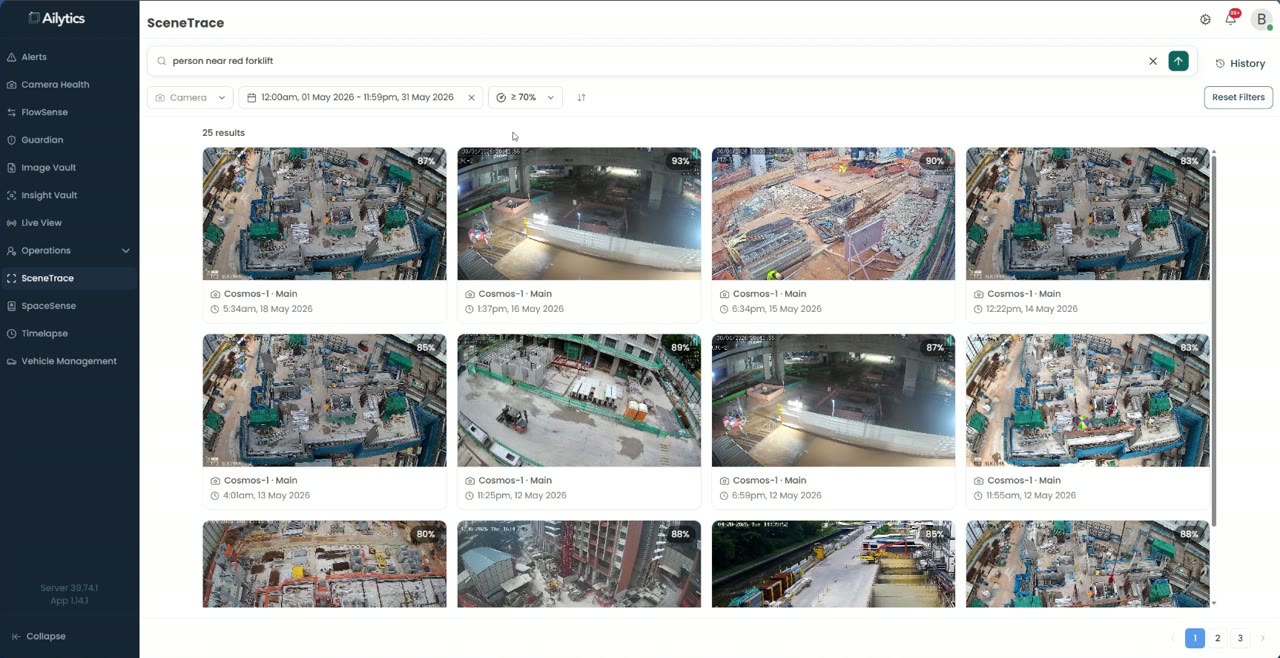
Can I search recorded video with a phrase?

Ailytics’ walkthrough shows natural-language search examples for scenarios in recorded video.

See the platform in context

Book a 30-minute demo with Gavin to explore the Ailytics platform.

Book a 30-minute demo

Book a short 30-minute demo with Gavin

By sending this form you agree that GPS Geo Guard may contact you about Ailytics. See our privacy page.