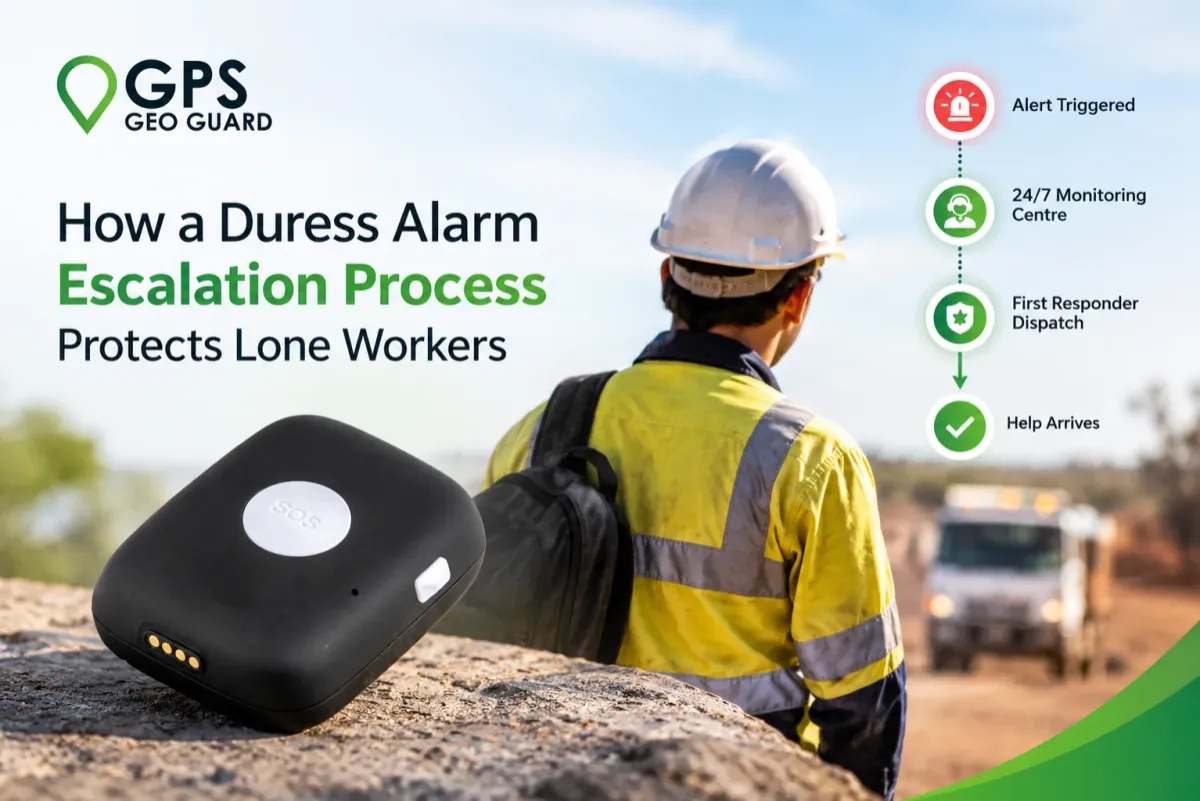
How a Duress Alarm Escalation Process Protects Lone Workers
A duress alarm only protects a lone worker if the right things happen after the button is pressed. That sequence is the escalation process: the defined path that takes an alert from the worker’s device to a trained operator, then to first responders, and finally to a confirmed outcome.
For employers managing lone workers across Australia, the process matters as much as the device. WHS law places a duty of care on employers for staff who work without supervision, and a clear escalation process shows how that duty is met when an alert comes in. This applies to disability support providers, healthcare teams, and field crews alike from suburban home visits to remote worksites.
This blog explains what a duress alarm escalation process is, how it works from alert to event closure, and how automated alarm escalation starts a response within seconds.
What Is a Duress Alarm Escalation Process?
A duress alarm escalation process is the documented response protocol that governs every alert a lone worker’s device sends. It sets the escalation path: who receives the alert, how its urgency is triaged, and which parties are contacted, from emergency services to the employer.
“Escalation” describes how the alert moves from the device to trained operators and responders with the authority to act.
A defined alarm escalation process fixes four things before any incident occurs:
Alert recipient: a trained monitoring operator who receives every alert
Triage criteria: how the operator assesses urgency and severity
Contact hierarchy: the order in which emergency services, the employer, and emergency contacts are notified
Incident record: the documented outcome, used for WHS reporting and review
Because the protocol is set in advance, the response doesn’t rely on anyone improvising under pressure.
How the Duress Alarm Escalation Process Works Step by Step
When a duress alarm is activated, what happens in the next few minutes decides whether the situation gets handled or gets worse. For businesses with lone workers, high-risk staff, or vulnerable individuals in their care, understanding this escalation process isn’t just operational detail it’s the whole reason a duress alarm system exists.
Here’s how it plays out, from the second the alarm is triggered to the moment it’s safely closed.
Alert Detection
The process starts the moment the alarm is triggered, whether through:
A manual panic button press
Automatic fall detection
A duress timer lapsing without check-in
The device enters an alarm state, flagging that a potential security event has occurred, and sends along GPS coordinates and the time and date so responders know where and when.
Emergency Communications Centre
The alert reaches a 24-hour Emergency Communications Centre, where a trained operator is the first point of human contact. The operator opens an audio line and starts assessing the situation directly with the person who triggered it.
Dispatch
If the situation calls for it, the operator dispatches first responders based on what they hear and the information available. This happens while staying on the line, so the wearer isn’t left waiting in silence while help is arranged.
First Responder Response
Once dispatched, first responders are guided to the wearer’s location using a combination of:
GPS data captured at the moment of activation
Indoor positioning technology, which adds accuracy in places where GPS alone falls short, like inside large buildings or facilities
Throughout this stage, the monitoring centre typically keeps communicating, both with the wearer and with the wearer’s emergency contacts, who are kept informed as the situation develops.
Event Closure
The event is only closed once everyone involved can confirm the wearer is safe. This final step matters as much as the first. Closure typically includes:
A final confirmation of safety with the wearer
A record of how the event was handled
A final update to emergency contacts, so no one is left wondering what happened after the alert went out
How Automated Alarm Escalation Supports Faster Action
Manual processes slow things down, and in a duress situation, that delay is exactly what can’t be afforded. Automation removes the points where human delay or error could creep in, keeping the escalation moving the moment an alert is triggered.
Instant alert transmission - no manual reporting needed, the alert reaches the monitoring centre the second it’s triggered
Automatic GPS location sharing - responders get the wearer’s location without anyone needing to relay it
Zero false-alarm filtering - automated detection (like fall sensors) reduces unnecessary dispatches, keeping response capacity for real emergencies
Simultaneous dispatch and communication - first responders are alerted while the operator stays on the line, so no step waits on another
Automated emergency contact notifications - family or employers are informed without the operator having to manually reach out mid-crisis
Faster response times overall - every automated step shaves off the seconds that matter most in an emergency
Why the Process Matters for Disability Support Workers and Other Lone Workers
Disability support workers often operate without a colleague nearby, on home visits, during one-on-one care, or in situations that can shift quickly. The same applies to lone workers across community care and remote job sites, where remote worker safety isn’t optional; it’s the baseline requirement for the job.
With no one physically present to step in, alarm escalation software has to do what a colleague normally would.
No one else is around to notice distress, so the system has to be the one watching.
Discreet activation lets a worker call for help without alerting the person they’re with.
Employers carry strict OHS and duty-of-care obligations, and this process helps them actually meet it.
Faster escalation means less time between something going wrong and help arriving.
For this workforce, this process is what turns working alone from a risk into something that can be done safely.
How GPS Geo Guard Supports Lone Worker Safety
Knowing how the escalation process works only matters if the device triggering it actually holds up in a real emergency.
GPS Geo Guard’s duress alarm is worn as a pendant or bracelet, fitted with GPS, two-way communication, and a panic button that activates with a single press, sending the alert straight to GPS Geo Guard’s monitoring team. For aged care and disability support specifically, the Omni Care Alert pairs that same duress functionality with automatic fall detection, so help can be triggered even if the wearer can’t press the button themselves.
Whichever device is worn, it feeds into the same escalation chain covered earlier:
Alert detection the moment the button is pressed or a fall is detected
Monitoring team response, who coordinate emergency service dispatch
Ongoing communication with the wearer and emergency contacts until help arrives
If your team includes lone workers, disability support staff, or anyone working without backup nearby, get in touch with GPS Geo Guard to find the right device and escalation plan for your organisation.
Frequently Asked Questions (FAQs)
What happens immediately after a duress alarm is activated?
The device enters an alarm state, flagging that a security event has occurred at the user’s location, and the alert reaches the monitoring centre instantly.
How fast does a duress alarm connect to a monitoring operator?
GPS Geo Guard connects alarm activation to a professional operator in seconds, not minutes.
Can a duress alarm be triggered without pressing a button?
Yes. Automatic fall detection triggers an alert on its own, without the wearer pressing anything.
Does the monitoring team contact emergency services directly?
Yes. The operator dispatches first responders directly whenever the situation requires it.
Are emergency contacts notified during an alert, or only after?
Emergency contacts are informed as the situation unfolds, not after the fact.


